, ,

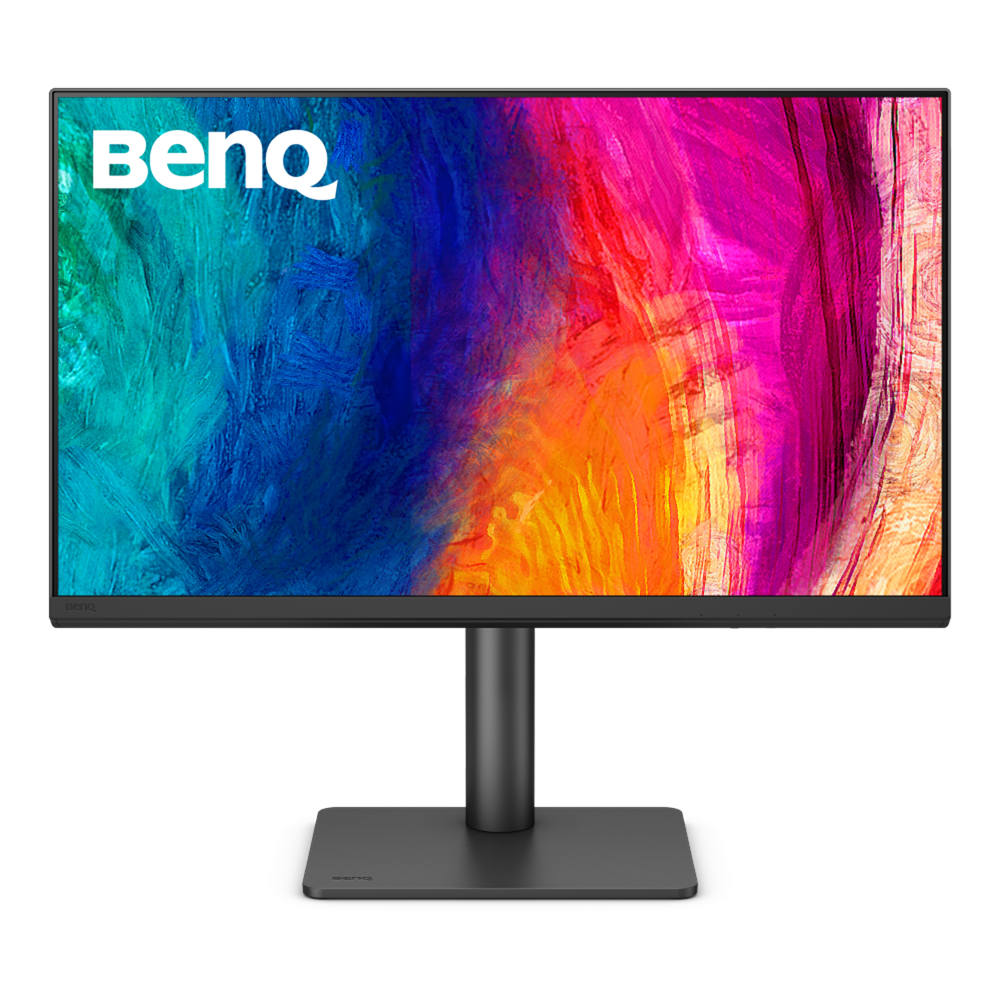
BenQ 27″ PD2706QN 2K IPS Daisy Chain KVM USB-C 90W Designer Monitor

Product Code: PD2706QN SKU: PCK18141 Categories: , ,
BenQ
Availability:

In stock


BenQ 

27 inches Size
Panel Type : IPS
Resolution : 2560×1440
Refresh Rate (Max) : 60Hz
HDMI 2.0 / DP 1.4 / audio jack
Wall-mount / Speaker / Tilt / Eye-Care / Pivot
Animation mode/KVM Switch/CAD/CAM mode/DualView

KD 135.000

In stock

Buy Now

BenQ

  • 27″ QHD with 95% P3 color coverage and 90W USB-C for power and data transfer
  • Factory-calibrated for out-of-the-box color accuracy and intuitive color matching across displays
  • With KVM controlling multiple systems, ICCsync ensures consistent color.

Wider and Truer Color to Make Inspirations Come Alive

Wider Color Coverage for Designers

The P3 color gamut allows designers to accurately render a wider and richer range of colors, ensuring that their work maintains true color fidelity across any display device.

The P3 color gamut allows designers to accurately render a wider and richer range of colors

Always Accurate and Consistent Colors

Delivers intuitive color matching and streamlined color management for effortless color consistency across displays

streamlined color management for effortless color consistency across displays

Nano Matte Panels Preserve Color Accuracy and Contrast

The BenQ Nano Matte Panel diffuses ambient light, ensuring color accuracy and contrast while reducing glare for enhanced eye comfort during long design sessions.

BenQ Nano Matte Panel diffuses ambient light, ensuring color accuracy and contrast while reducing glare

Display ColorTalk

Enjoy Intuitive Color Matching Without a Calibrator

Offers creative professionals an intuitive interface to easily match colors between a MacBook and a monitor or between two monitors with no calibrator needed.

Offers an intuitive interface for creative professionals to easily match colors between two monitors

Palette Master Ultimate

Achieve More Precise Color Matching with a Calibrator

Effortless calibration, no experience needed. Follow the visual menus and clear prompts for software calibration that meets international standards.

*Calibrator Suggestions: X-Rite i1 Display Pro, X-Rite i1 Display Pro Plus, Datacolor Spyder X, Datacolor Spyder X2

Follow the visual menus and clear prompts for software calibration
BenQ AQCOLOR ensures 'Accurate Reproduction,' delivering out-of-the-box color precision

Colors You Can Trust

BenQ AQCOLOR ensures ‘Accurate Reproduction,’ delivering out-of-the-box color precision with Delta E ≤ 2, 95% P3 wide color coverage, corner-to-corner uniformity, and a factory calibration report. All features are rigorously tested for consistency, providing designers with unparalleled precision and total color confidence.

  • Industry Standard

    Experience broad coverage of in-demand color spaces, carefully calibrated for color temperature, gamma, and brightness.

  • Displaying Uniformity

    Delivers consistent color uniformity from edge to edge on a single monitor or across multiple monitors.

  • Accuracy Guarantee

    Ensure your monitor accurately represents your intended colors, with third-party validation for precise reproduction.

Certified by Renowned Third-Party Authorities

Pantone & Pantone SkinTone Validation

Featuring Pantone and Pantone SkinTone validation, appealing to professionals who need a display that achieves the utmost authenticity when showing real-world colors.

Pantone & Pantone SkinTone Validation

Calman Verified

Every BenQ DesignVue designer monitor is fully CalMan Verified. Creative professionals demand excellence, and BenQ delivers.
Calman Verified

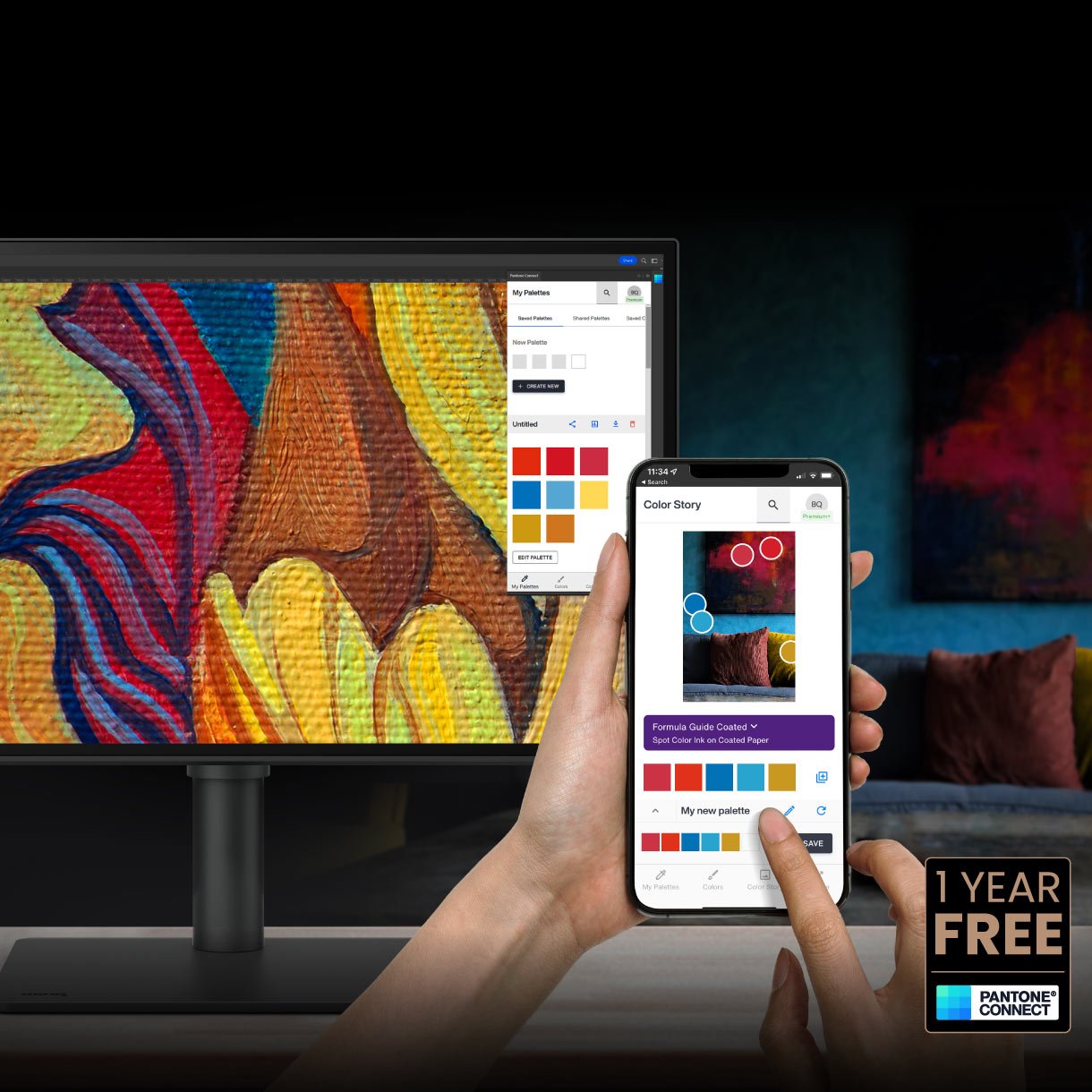
Pantone Connect Premium

Go digital with BenQ, the first brand to work with Pantone on a mobile app. As an existing owner or a new purchaser of BenQ professional monitors, you get one year of free Pantone Connect Premium for digitally mobile color consistency and accuracy.
Pantone Connect Premium

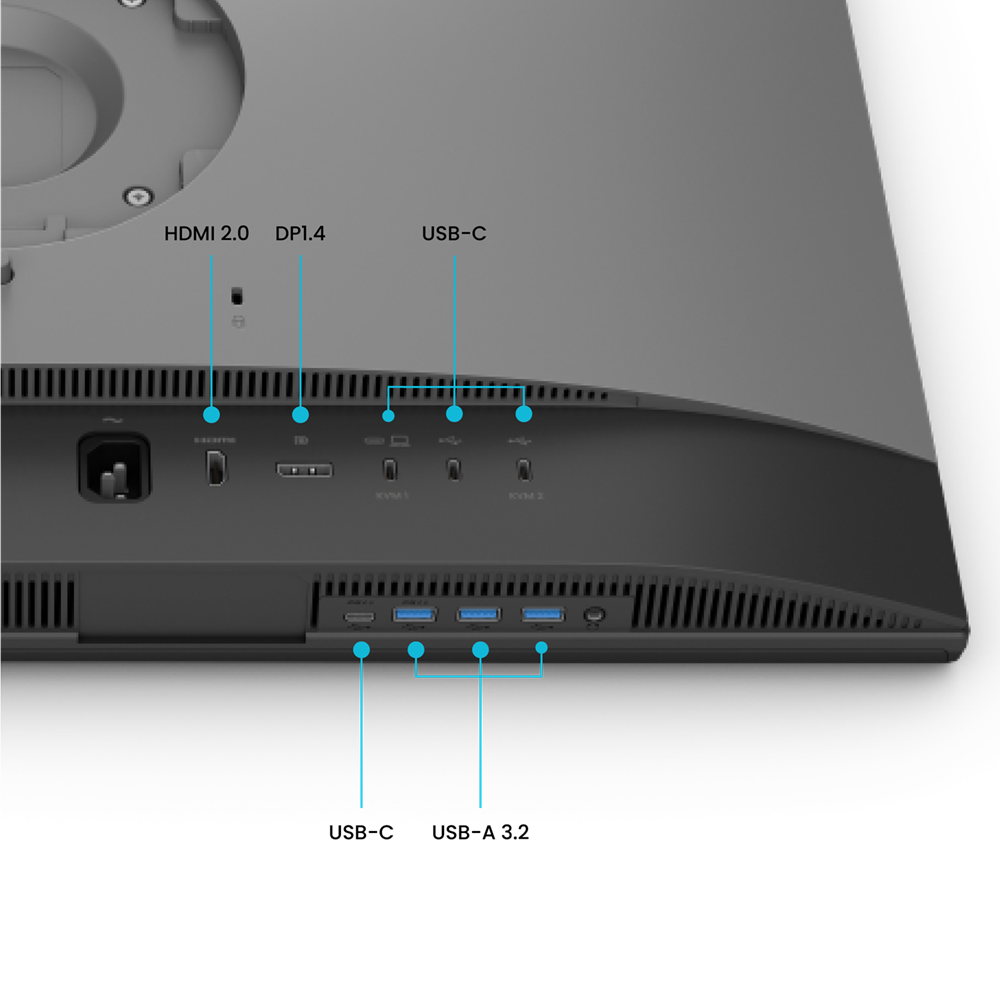
All-in-One USB-C Connection

Quickly transfer data and deliver power up to 90W. Your Thunderbolt 3/4 devices are compatible with USB-C on BenQ displays, ensuring consistent and seamless work efficiency.

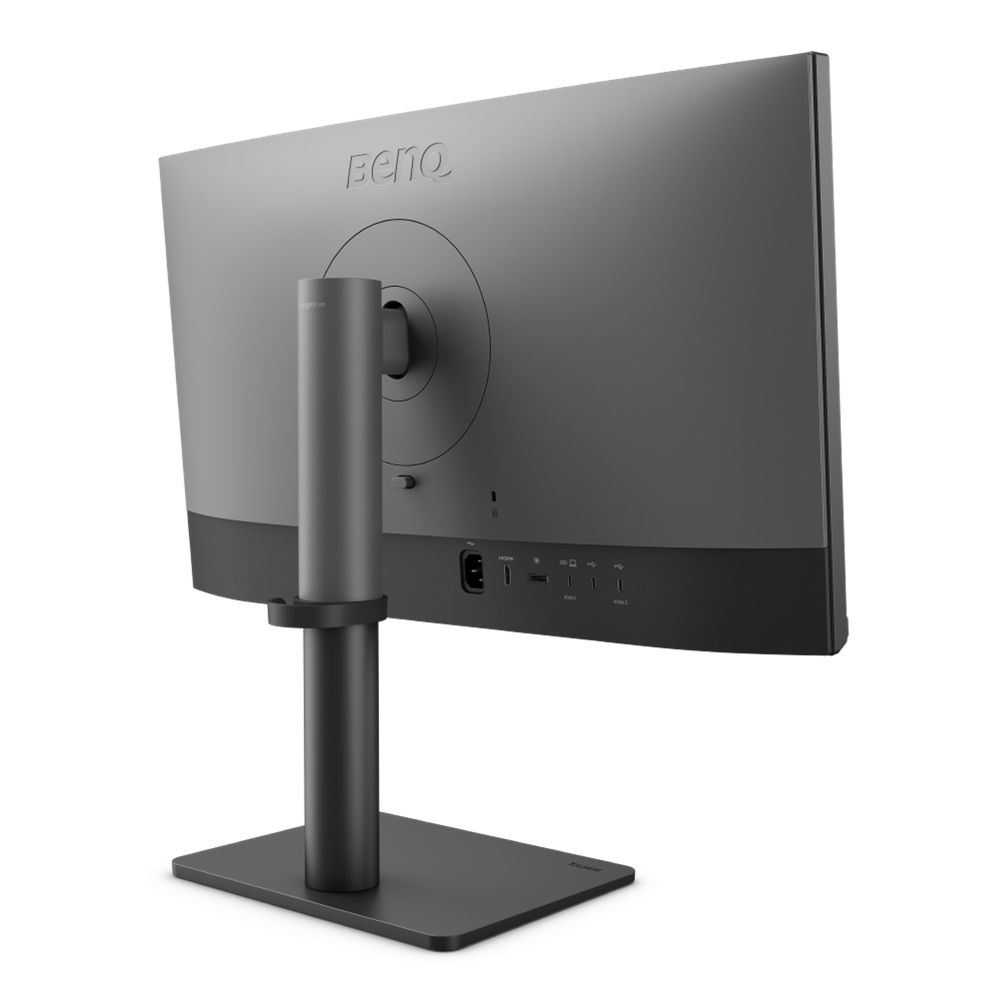
IO ports and all-in-one USB-C connection

Daisy Chain via DisplayPort MST

Multi-Stream Transport (MST) technology allows you to extend your display across multiple monitors using the DisplayPort output.

Mac devices do not support DisplayPort MST.

Daisy Chain via DisplayPort MST

Built-in KVM

With built-in KVM (keyboard, video, mouse) switch functionality, PD2706QN allows users to control two systems from one keyboard and mouse set. Click to switch between to boost efficiency.

Built-in KVM

Enhance Convenience and Flexibility in Design Tasks

BenQ Display Pilot 2

Display Pilot 2 customizable interface allows you to organize functions such as ICCsync, Color Modes, and Desktop Partition, enhancing convenience and flexibility in your design tasks.

Display Polit 2 customizable interface allows you to organize functions

ICCsync

Ensures Color Consistency

ICCsync automatically matches and syncs ICC profiles between your Mac and BenQ monitor when switching color modes.

ICCsync automatically matches and syncs ICC profiles

M-book Mode

Mac Device Color Matching

Exclusive M-book mode ensures a perfect match with Mac and MacBook Pro colors.

Mac and MacBook are trademarks of Apple Inc.

M-book mode ensures a perfect match with Mac and MacBook Pro colors

iKeyboard Control

Integrated MacBook Controls

Effortlessly adjust display brightness using your Mac keyboard.

Only applicable to Mac devices using Display Pilot 2

adjust display brightness using your Mac keyboard

Attentive Color Modes for Creators

Animation Mode

Enhance the clarity of dark areas without overexposing bright regions.

  • Animation Mode

    CAD/CAM Mode

    Enjoy superior contrast between lines and shapes in technical illustrations.

  • CAD/CAM Mode

    DualView

    Showcase designs in two modes side-by-side for improved workflow and enhanced productivity.

  • DualView

Unleash Creativity with Comfort

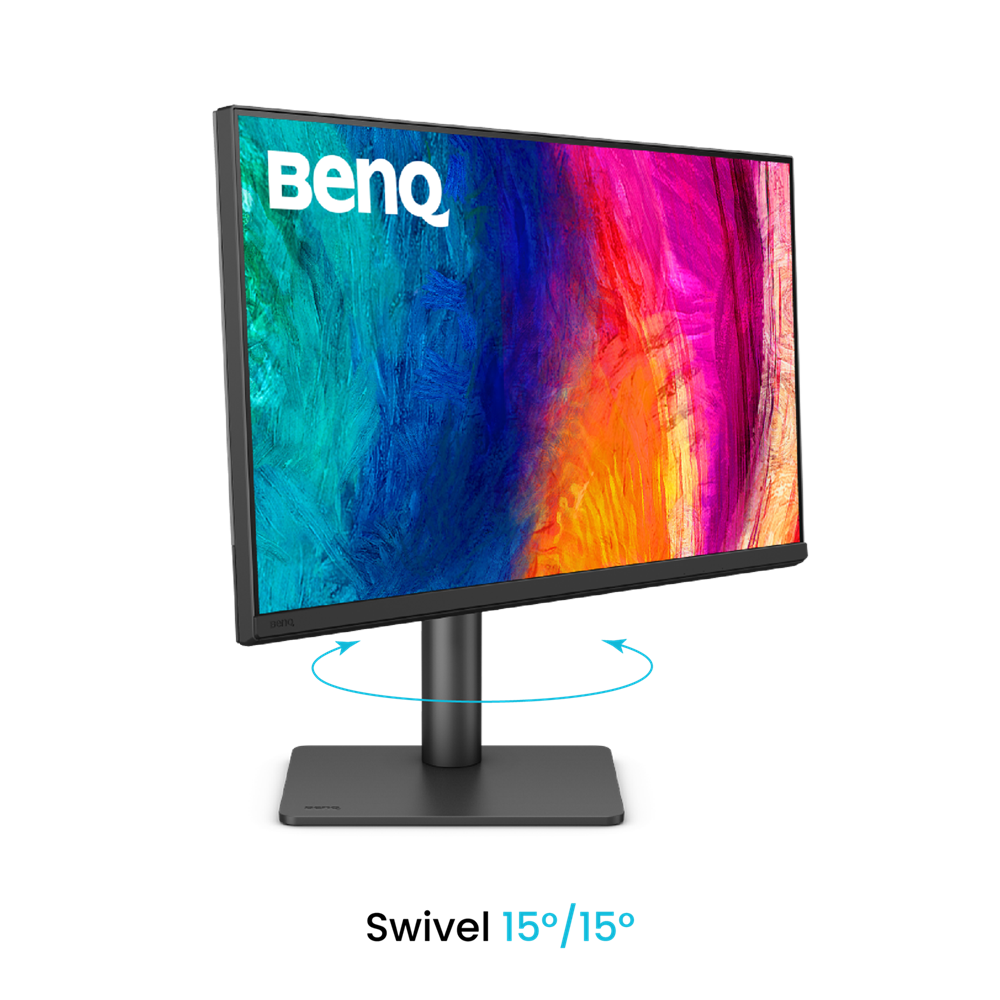
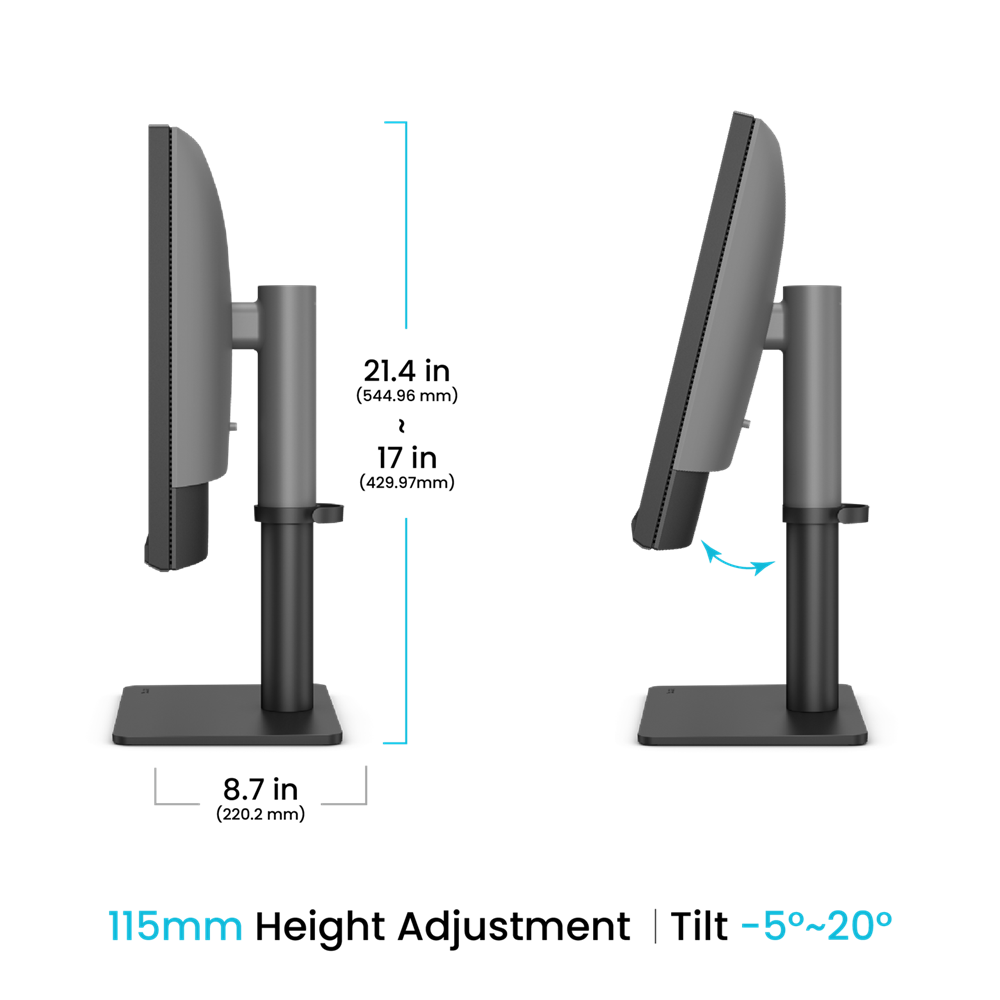
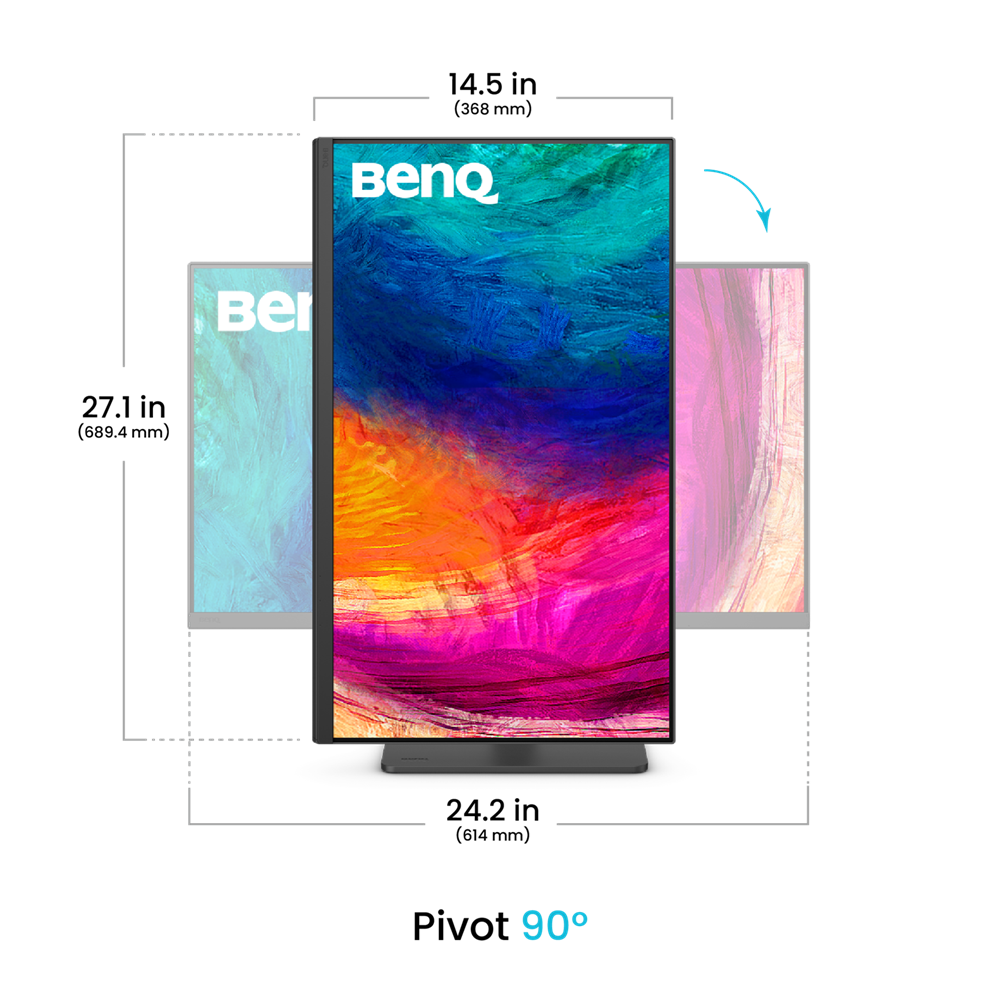
Position your monitor for optimal comfort. With a variety of tilt, swivel, and pivot control points, whether you’re working on design or presenting your ideas to clients, there’s always the right spot and the right angle to do it.

  • Pivot 90°

    Pivot 90°

  • Swivel 30°/30°

    Swivel 15°/15°

  • Tilt -5°~20°

    Tilt -5°~20°

  • 115mm Height Adjustment

    115mm Height Adjustment

Recommended Software

Ensure Color Accuracy and Consistency

  • Palette Master Ultimate

    Palette Master Ultimate

    More accurate and faster calibration with a calibrator

  • Display ColorTalk

    Display ColorTalk

    Matching colors across displays without a calibrator

Boost Your Creative Productivity

  • Display Pilot 2

    Display Pilot 2

    Take control of your display settings efficiently

  • Display QuicKit

    Display QuicKit

    Easily update your monitor’s firmware to stay up-to-date

SKU: PCK18141 Categories: , ,
Brand Name

BenQ

Display Type

IPS

Curvature type

Flat

Features

CAD/CAM mode, Daisy Chain, DualView, EyeCare, Height adjustment, KVM, PBP, PIP, pivot (rotation), Speakers, Swivel, Tilt, Wall-Mount

Monitor Type

Office

Ports

3.5mm, Display Port 1.4, HDMI 2.0, USB 3.2, USB Type-C (Charge & Display), USB-C

Refresh Rate

60hz

Response Time

5ms

Resolution

2K QHD

Screen Size

27 inch

Width Type

Wide

All Specifications

Display

  • Screen Size
    27 inch
  • Panel Type
    IPS
  • Backlight Technology
    LED backlight
  • Resolution (max.)
    2560×1440
  • Brightness (typ.)
    350 nits
  • Brightness (peak)(HDR)
    400 nits
  • HDR
    HDR10
  • Viewing Angle (L/R) (CR>=10)
    178°/178°
  • Response Times (GtG)
    5 ms
  • Native Contrast
    1000:1
  • Refresh Rate (Hz)
    100
  • Color Gamut
    100% sRGB, 100% Rec.709, 95% P3
  • Color Mode
    User1, User2, DCI-P3, Display P3, Rec.709, sRGB, HDR, M-Book, B+W, DICOM, CAD/CAM, Animation, Darkroom
  • Aspect Ratio
    16:9
  • Display Colors
    16.7 million color
  • PPI
    109
  • Display Screen Coating
    Nano Matte
  • Color Temperature
    5000K, 6500K, 9300K, User Define
  • Gamma
    1.8 – 2.6, sRGB
  • HDCP
    2.2
  • OSD Language
    Arabic, Chinese (simplified), Chinese (traditional), Czech, Deutsch, English, French, Hungarian, Italian, Japanese, Korean, Netherlands, Polish, Portuguese, Romanian, Russian, Spanish, Swedish
  • AMA
    Yes

Audio

  • Built-in Speaker
    3Wx2
  • Headphone Jack
    Yes

Power

  • Voltage Rating
    100 – 240V
  • Power Supply
    Built-in
  • Power Consumption (normal)
    29 W
  • Power Consumption (max)
    200 W
  • Power Consumption (sleep mode)
    < 0.5 W
  • Power Delivery(USB C / Thunderbolt )
    90

Dimension and Weight

  • Tilt (down/up)
    -5˚ – 20˚
  • Swivel (left/right)
    15˚/ 15˚
  • Pivot
    90˚
  • Height Adjustment Stand
    115 mm
  • Dimensions (HxWxD) (mm)
    429.97-544.96x614x220.2
  • Dimensions (HxWxD) (inch)
    17-21.4×24.2×8.7
  • Dimensions (HxWxD) (Landscape) (mm)
    429.97-544.96x614x220.2
  • Dimensions (HxWxD) (Landscape) (inch)
    17-21.4×24.2×8.7
  • Dimensions (HxWxD) (Pivot) (mm)
    689.4x368x220.2
  • Dimensions (HxWxD) (Pivot) (inch)
    27.1×14.5×8.7
  • Dimensions (HxWxD) (w/o Base) (mm)
    368x614x80.9
  • Dimensions (HxWxD) (w/o Base) (inch)
    14.5×24.2×3.2
  • Net Weight (kg)
    9.32
  • Net Weight (lb)
    20.5
  • Net Weight (w/o Base) (kg)
    6.42
  • Net Weight (w/o Base) (lb)
    14.2
  • VESA Wall Mount
    100×100 mm

Accessories

  • Other Accessories
    Clean Cloth, QSG, Warranty Card, Calibration Report, IO Cover, Safety Instruction
  • Signal Cable (may vary by region)
    DP1.2, USB 3.2, USB C

Connectivity

  • HDMI (v2.0)
    1
  • DisplayPort (v1.4)
    1
  • USB C out ( MST)
    1
  • USB C(PowerDelivery 90W, DisplayPort Alt Mode, Data)
    1
  • Daisy Chain Technology
    USB C out (MST)
  • All-in-One Connection
    USB-C
  • USB Type-A Downstream (USB 3.2 Gen 1, 5 Gbps, power charging 4.5W)
    2
  • USB Type-A Downstream (USB 3.2 Gen 1, 5 Gbps, power charging 7.5W)
    1
  • USB Type-C Downstream (USB 3.2 Gen 1, 5 Gbps, power charging 7.5W)
    1

Eye Care

  • Flicker-free Technology
    Yes
  • Low Blue Light
    Yes

Certification

  • TUV Certificate
    Flicker-free, Low Blue Light, Reflection Free
  • Solidworks
    Yes
  • calman verified
    Yes
  • Pantone Validated
    Yes
  • Pantone SkinTone™ Validated
    Yes

Professional

  • Video Format Support
    Yes
  • Factory Calibration Report
    Yes
  • Delta E(avg)
    ≤2
  • Animation mode
    Yes
  • KVM Switch
    Yes
  • Darkroom mode
    Yes
  • Black & White mode
    Yes
  • CAD/CAM mode
    Yes
  • DualView
    Yes
  • Auto Pivot
    Yes
  • Uniformity Technology
    Yes
  • ICCsync
    Yes

Software

  • Display Pilot 2
    Yes
  • Palette Master Ultimate
    Yes
  • Display ColorTalk
    Yes
  • Display Quickit
    Yes