, ,

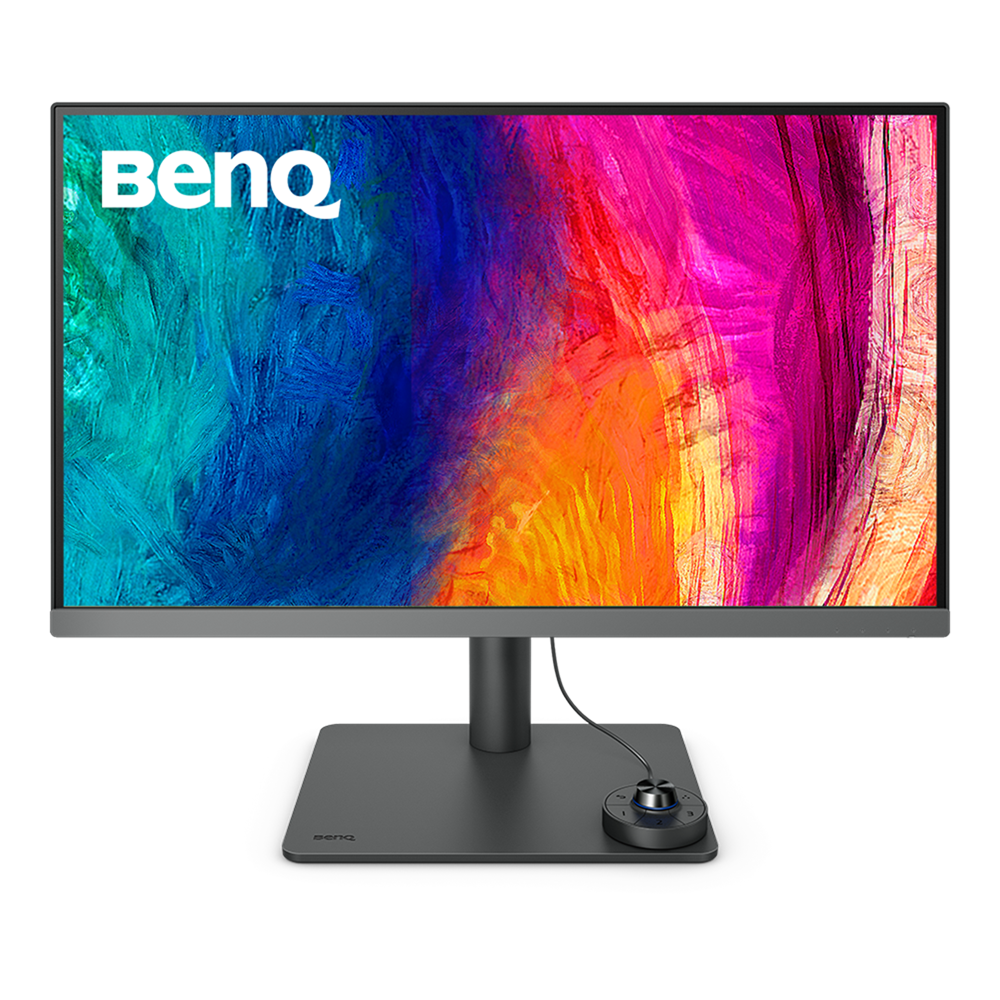
BenQ 27″ PD2706U 4K IPS DisplayHDR 400 USB-C Designer Monitor

Product Code: PD2706U SKU: PCK18102 Categories: , ,
BenQ
Availability:

In stock


BenQ 

27 inches Size
Panel Type : IPS
Resolution : 3840×2160
Refresh Rate (Max) : 60Hz
HDMI 2.0 / DP 1.4 / audio jack
Wall-mount / Speaker / Tilt / Eye-Care / Pivot

KD 205.000

In stock

Buy Now

BenQ

  • 27” 4K UHD 16:9 IPS LED monitor with 90W USB-C connectivity
  • Covers 95% P3 and offer Delta E ≤ 3 color consistency
  • KVM & BenQ ICCsync boost work efficiency

Accurate Colors Benefit Creators

BenQ empowers creative professionals with AQCOLOR technology to help inspire ideas and make projects come to life.

Industry Leading Color Performance

Incredible Color Space Coverage

PD2706U covers 95% P3, 100% sRGB, and 100% Rec.709 color spaces and has amazing Delta E ≤ 3 color reproduction to ensure superb accuracy and absolute color confidence.

Factory Calibrated for Color Accuracy

BenQ DesignVue monitors feature meticulous factory calibration, so designers make full use of total display color accuracy from the get go.
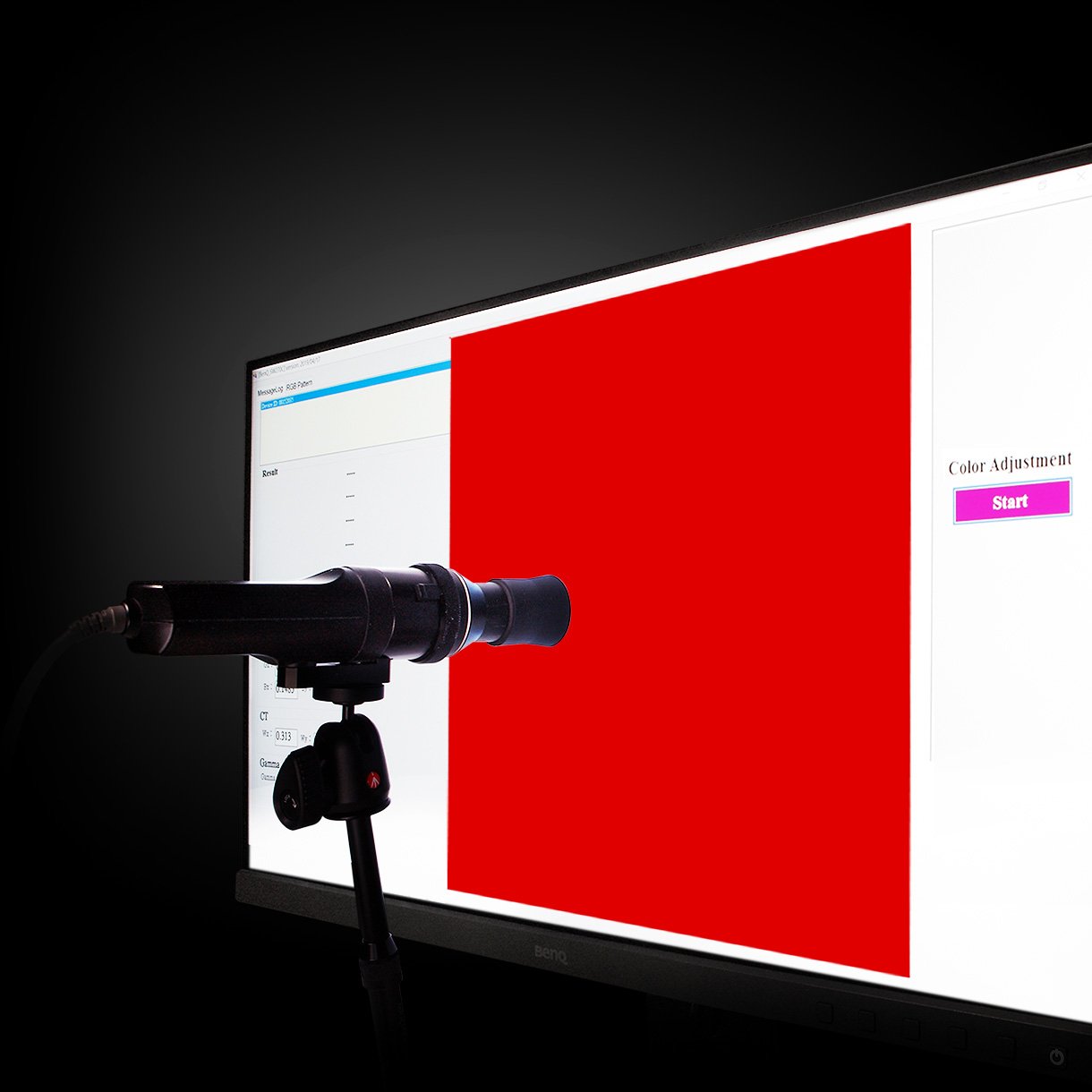
BenQ DesignVue Monitors with factory calibration, designers make full use of color accuracy on a monitor.

Accuracy Guarantee

Out-of-the-Box GUARANTEE

PD2706U is fully CalMan Verified. Creative professionals demand excellence, and BenQ delivers.

BenQ PD2706U is fully CalMan Verified. Creative professionals demand excellence, and BenQ delivers.

Accuracy Guarantee

Out-of-the-Box GUARANTEE

PD2706U also features Pantone and Pantone SkinTone validation, appealing to professionals who need a display that achieves utmost authenticity when showing real-world colors.

BenQ PD2706U is fully CalMan Verified. Creative professionals demand excellence, and BenQ delivers.

Accuracy Guarantee

Pantone Connect Premium

Go digital with BenQ, the first brand to work with Pantone on a mobile app. As an existing owner or a new purchaser of BenQ professional monitors, you get one year of free Pantone Connect Premium for digitally mobile color consistency and accuracy.

BenQ PD2706U also features Pantone and Pantone SkinTone validation, appealing to professionals who need a display that achieves utmost authenticity when showing real-world colors.

Navigate Color Modes by BenQ Display Pilot Shortcuts

BenQ Display Pilot offers keyboard shortcuts to access OSD (on-screen display) adjustments for different functions, including color mode switching and more.

BenQ ICCsync not only directly installs pre-calibrated ICC profiles onto your Mac. Free from all exhausting settings, with BenQ Display Pilot, one step does all.

Painless Color Profile Switch and Sync by BenQ ICCsync

Usually, syncing color profiles between your monitor and laptop takes an exhausting amount of fiddling with settings. BenQ Display Pilot and BenQ ICCsync free you from this hassle.

BenQ ICCsync not only directly installs pre-calibrated ICC profiles onto your Mac. Free from all exhausting settings, with BenQ Display Pilot, one step does all.

One Click to Sync Your MacBook® Color

BenQ ICCsync quickly installs pre-calibrated ICC profiles onto your Mac, and more. With ICC profile compatibility, BenQ ICCsync makes it easy to sync in just a second with one click via BenQ Display Pilot.

Color Consistency at Your Fingertips

BenQ ICCsync auto-matches and auto-synchronizes ICC profiles on the monitor when you change color modes, and also between your Mac and BenQ monitor. All of this is done instantly.

Expand Your Workstation with All-in-One Cable

90W USB-C carries images, videos, and other data seamlessly plus charges your mobile devices at the same time all with one cable.

BenQ PD2706U with 90W USB-C carries images, videos, and other data seamlessly plus charges your mobile devices at the same time all with one cable.

KVM

With built-in KVM (keyboard, video, mouse) switch functionality, PD2706U allows users to control two systems from one keyboard and mouse set. Click to switch between systems via Hotkey Puck G2 to boost efficiency.

With built-in KVM (keyboard, video, mouse) switch functionality, PD2706U allows users to control two systems from one keyboard and mouse set. Click to switch between systems via Hotkey Puck G2 to boost efficiency.

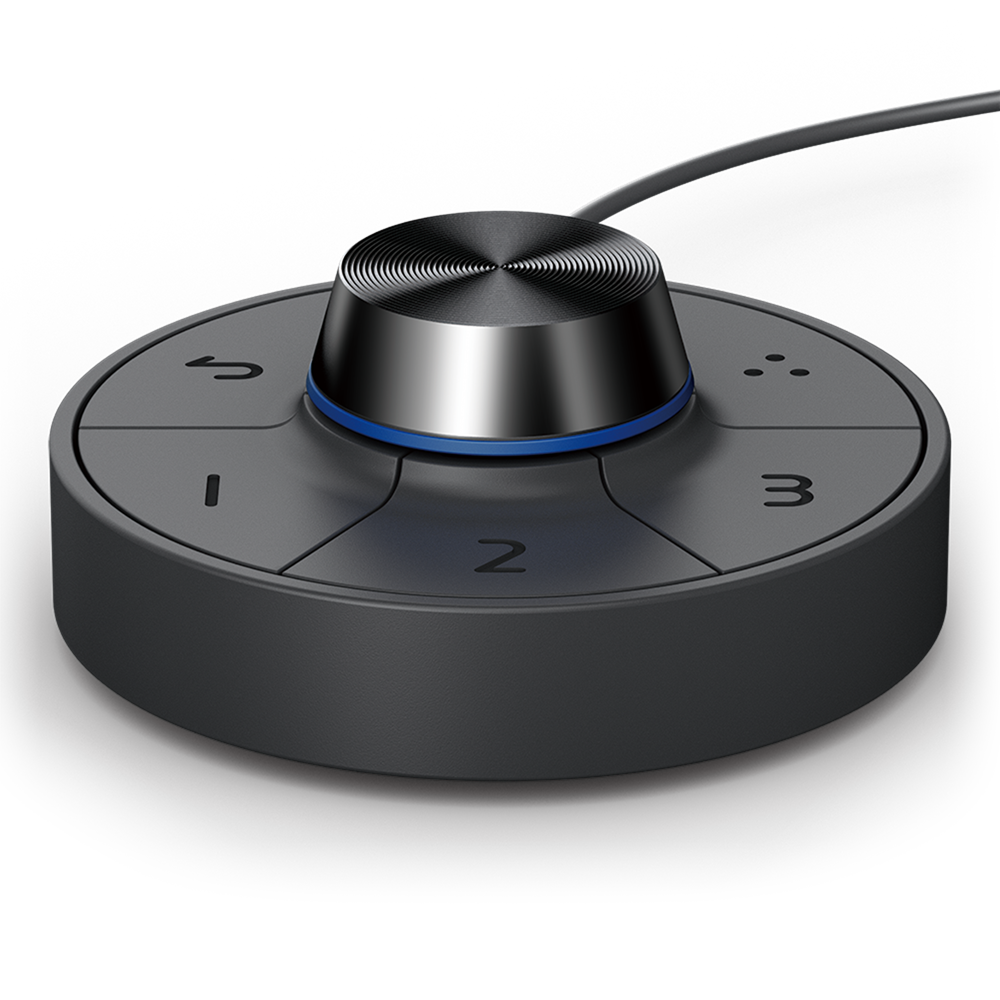
Hotkey Puck G2

BenQ Hotkey Puck G2 offers users the flexibility to customize and access their most-used features. Press and switch the dial to access brightness, contrast, and volume adjustment, plus assign shortcuts to feature sets using the three function keys. Additionally, the rotation key allows users to assign custom shortcuts to settings.

BenQ Hotkey Puck G2 designates three single function keys, a rotation key, and a dial to adjust most-used features.

PIP / PBP

Go split screen. Picture In Picture (PIP) and Picture By Picture (PBP) let you customize your workflow.

BenQ DesignVue Monitors with Picture In Picture (PIP) and Picture By Picture (PBP) let you customize your workflow.

Displaying Details

BenQ Uniformity Technology

Delivering corner-to-corner authentic colors and consistent luminescence. The display is divided into hundreds of sub-regions and rigorously fine-tuned for precision. This innovative tech assures ultra-dependable image fidelity.

Without

BenQ Uniformity Techniology delivers corner-to-corner authentic color and consistent luminescence. The display is divided into hundreds of sub-regions and meticulously fine-tuned for precision. This innovative tech assures dependable image fidelity.

With

BenQ Uniformity Technology delivers corner-to-corner authentic color and consistent luminescence.

HDR Technology

DisplayHDR 400 offers better results more when you work on designs with better brightness, color uniformity and black leve

Attentive Color Modes for Creators

BenQ DesignVue Monitors with Attentive Color Modes for Creators

DualView

Showcase designs in two modes side-by-side for improved workflow and enhanced productivity.

BenQ DesignVue Monitors DualView Showcases designs in two modes side-by-side for improved workflow and enhanced productivity.

CAD/CAM Mode

Enjoy superior contrast of lines and shapes in technical illustrations.

BenQ DesignVue Monitors CAD/CAM Mode let you Enjoy superior contrast of lines and shapes in technical illustrations.

Animation Mode

Enhance the clarity of dark areas without overexposing bright regions.

BenQ DesignVue Monitors Animation Mode Enhances the clarity of dark areas without overexposing bright regions.

Darkroom Mode

Adjust image brightness and contrast for work in dark environments.

BenQ DesignVue Darkroom Mode adjusts image brightness and contrast for work in dark environments.

ePaper Mode

Simulates e-book display to read and edit digital publications in comfort.

BenQ PD2706U with ePaper Mode simulates e-book display to read and edit digital publications in comfort.

Create with Fresh Eyes

BenQ’s industry-leading Eye-Care Technology reduces eye fatigue while ensuring greater user comfort during long periods of use.

BenQ's industry-leading Eye-Care Technology reduces eye fatigue while ensuring greater user comfort during long periods of use.
  •  TÜV Rheinland Certification

    TÜV Rheinland certifies Flicker-Free and Low Blue Light, resulting in a truly human eye-friendly monitor.

  •  Low Blue Light

    Low blue light technology filters harmful blue light to protect your eyes and increase comfort.

  •  Flicker-Free™

    Flicker-Free™ eliminates screen flicker found in traditional monitors for vastly improved comfort during extended usage.
SKU: PCK18102 Categories: , ,
Brand Name

BenQ

Display Type

IPS

Curvature type

Flat

Features

CAD/CAM mode, DualView, EyeCare, Height adjustment, KVM, PBP, PIP, pivot (rotation), Speakers, Swivel, Tilt, Wall-Mount

Monitor Type

Office

Ports

3.5mm, Display Port 1.4, HDMI 2.0, USB 3.2, USB Type-C (Charge & Display), USB-C

Refresh Rate

60hz

Response Time

5ms

Resolution

4K UHD

Screen Size

27 inch

Width Type

Wide

All Specifications

Display

  • Screen Size
    27 inch
  • Panel Type
    IPS
  • Backlight Technology
    LED backlight
  • Resolution (max.)
    3840×2160
  • Brightness (typ.)
    350 nits
  • Brightness (peak)(HDR)
    400 nits
  • HDR
    HDR10, VESA DisplayHDR 400
  • Viewing Angle (L/R) (CR>=10)
    178°/178°
  • Response Times (GtG)
    5 ms
  • Native Contrast
    1200:1
  • Refresh Rate (Hz)
    60
  • Color Gamut
    100% sRGB, 100% Rec.709, 95% P3
  • Color Mode
    DCI-P3, Display P3, Rec.709, sRGB, HDR, M-Book, DICOM, CAD/CAM, Animation, Darkroom, Low Blue Light, User, ePaper
  • Aspect Ratio
    16:9
  • Display Colors
    1.07 billion colors
  • PPI
    163
  • Display Screen Coating
    Matte
  • Color Temperature
    5000K, 6500K, 9300K, User Define
  • Gamma
    1.8 – 2.6, sRGB
  • HDCP
    2.2
  • OSD Language
    Arabic, Chinese (simplified), Chinese (traditional), Czech, Deutsch, English, French, Hungarian, Italian, Japanese, Korean, Netherlands, Polish, Portuguese, Romanian, Russian, Spanish, Swedish
  • AMA
    Yes

Audio

  • Built-in Speaker
    2.5Wx2
  • Headphone Jack
    Yes

Power

  • Voltage Rating
    100 – 240V
  • Power Supply
    Built-in
  • Power Consumption (normal)
    45 W
  • Power Consumption (max)
    230 W
  • Power Consumption (sleep mode)
    <0.5 W
  • Power Delivery(USB C / Thunderbolt )
    90

Dimension and Weight

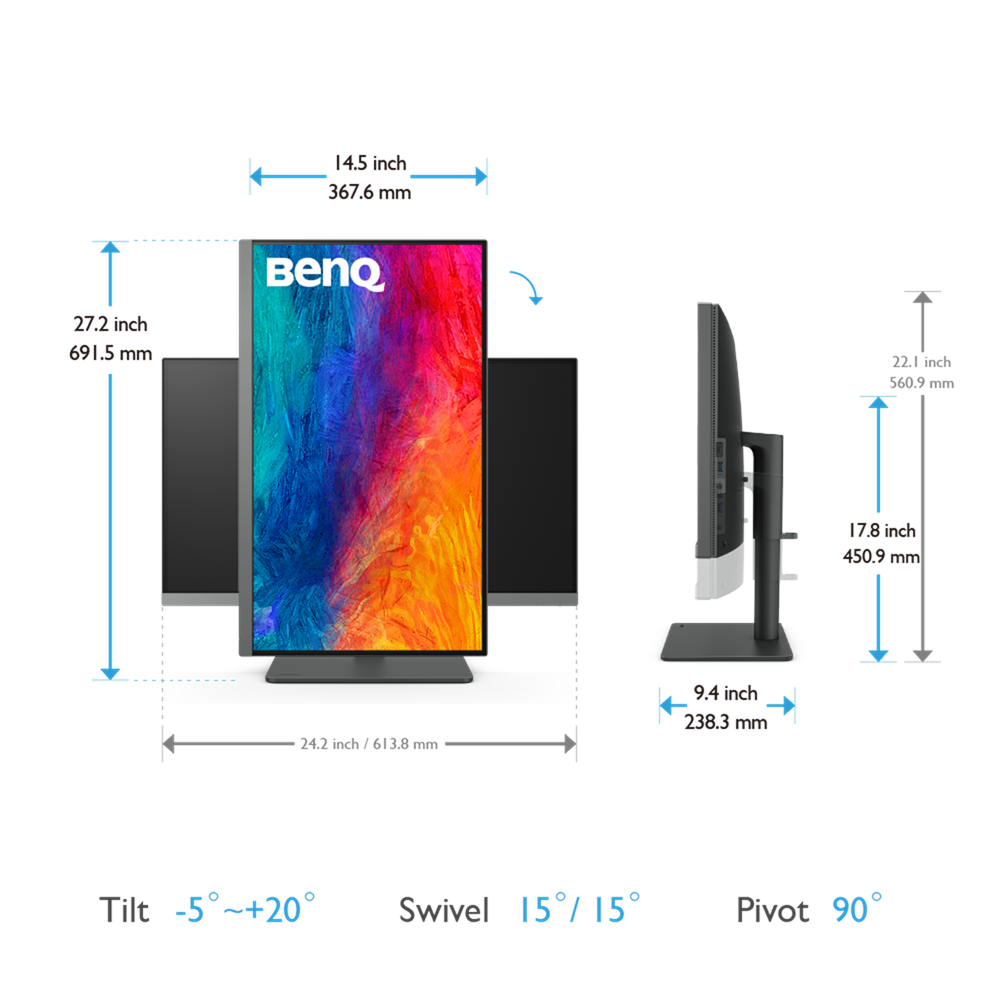
  • Tilt (down/up)
    -5˚ – 20˚
  • Swivel (left/right)
    15˚/ 15˚
  • Pivot
    90˚
  • Height Adjustment Stand
    110 mm
  • Dimensions (HxWxD) (mm)
    450.9-560.9×613.8×238.3
  • Dimensions (HxWxD) (inch)
    17.52-22.08×24.17×9.38
  • Dimensions (HxWxD) (Landscape) (mm)
    450.9-560.9×613.8×238.3
  • Dimensions (HxWxD) (Landscape) (inch)
    17.52-22.08×24.17×9.38
  • Dimensions (HxWxD) (Pivot) (mm)
    691.5×367.6×238.3
  • Dimensions (HxWxD) (Pivot) (inch)
    27.22×14.47×9.38
  • Dimensions (HxWxD) (w/o Base) (mm)
    367.6×613.8×87.7
  • Dimensions (HxWxD) (w/o Base) (inch)
    14.47×24.17×3.45
  • Net Weight (kg)
    8.3
  • Net Weight (lb)
    18.30
  • Net Weight (w/o Base) (kg)
    5.3
  • Net Weight (w/o Base) (lb)
    11.68
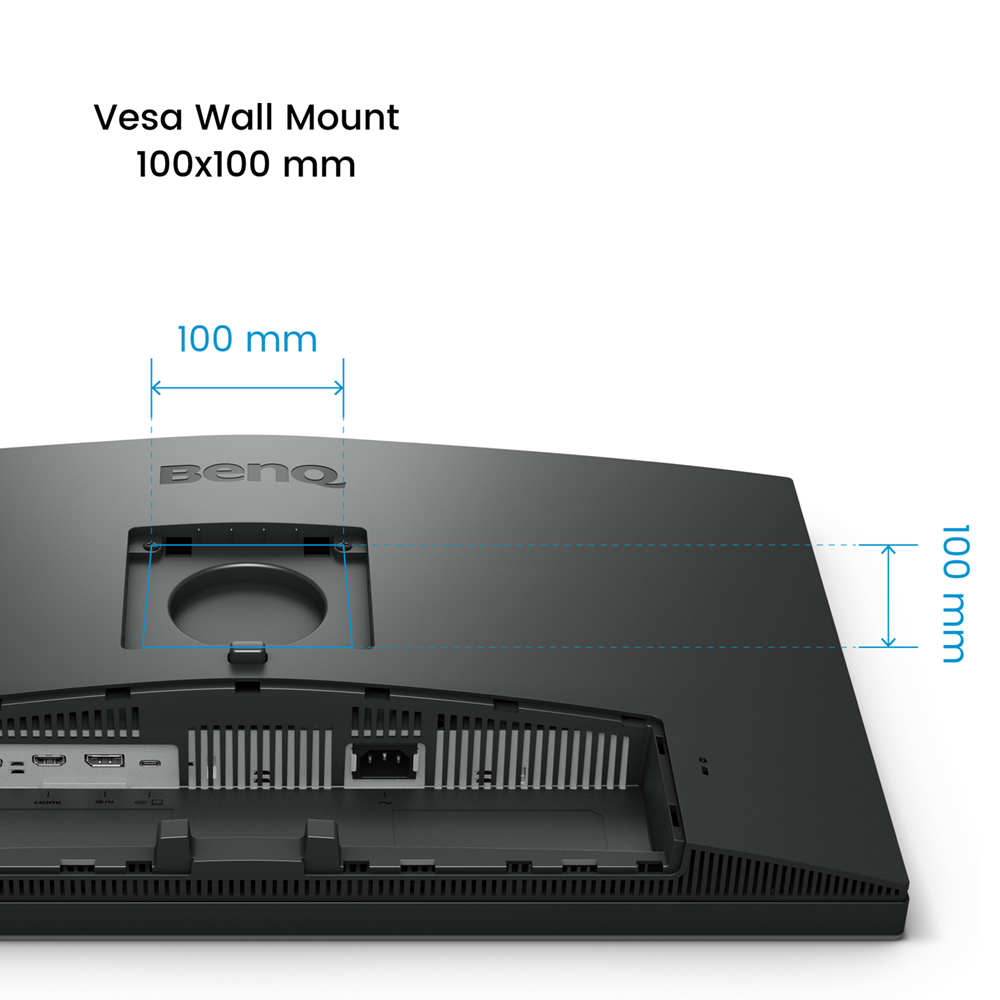
  • VESA Wall Mount
    100×100 mm

Accessories

  • Other Accessories
    QSG, Warranty Card, Calibration Report, IO Cover, Safety Instruction, Hotkey Puck G2
  • Signal Cable (may vary by region)
    DP, HDMI, USB 3.0, USB C

Connectivity

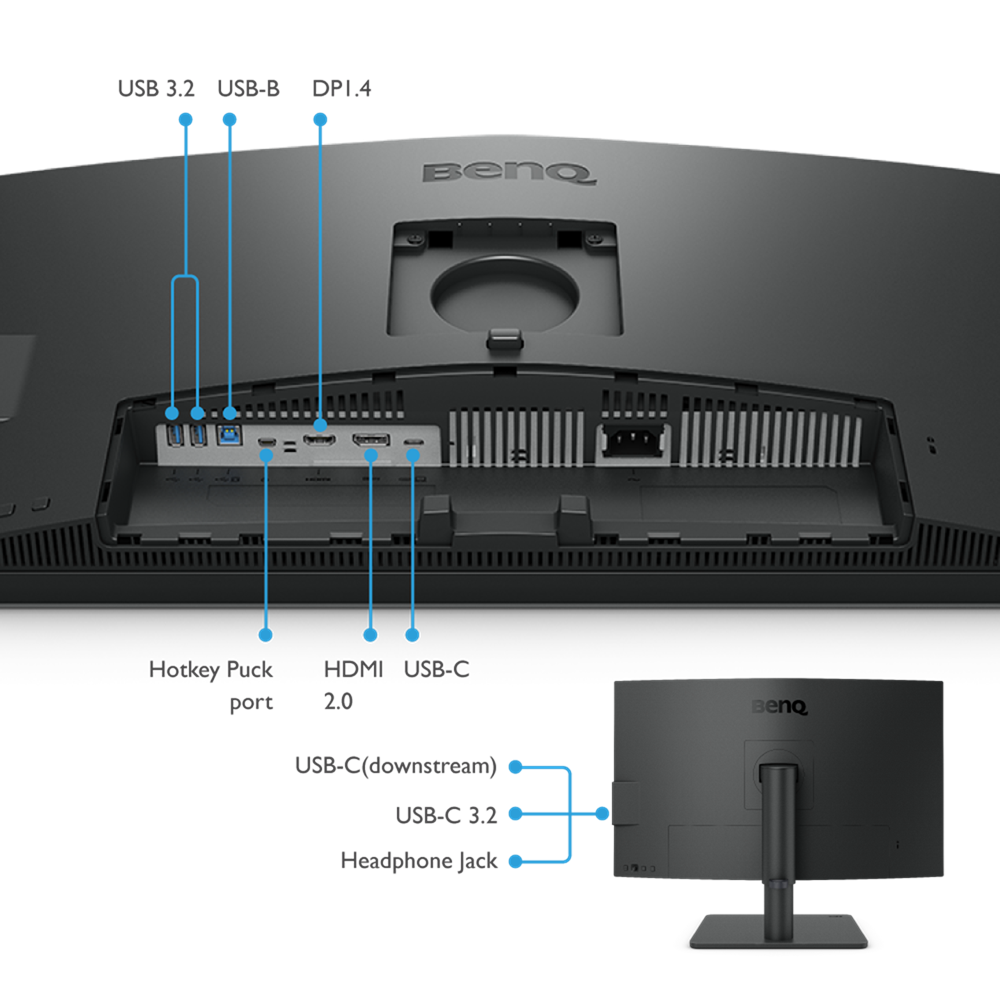
  • HDMI (v2.0)
    1
  • DisplayPort (v1.4)
    1
  • USB C(PowerDelivery 90W, DisplayPort Alt Mode, Data)
    1
  • USB C ( Downstream )
    1
  • USB Type B ( Upstream )
    1
  • USB 3.2 ( Downstream )
    3
  • All-in-One Connection
    USB-C

Eye Care

  • Flicker-free Technology
    Yes
  • Low Blue Light
    Yes
  • ePaper
    Yes

Certification

  • TUV Certificate
    Flicker-free, Low Blue Light
  • Solidworks
    Yes
  • calman verified
    Yes
  • Pantone Validated
    Yes
  • Pantone SkinTone™ Validated
    Yes

Professional

  • Video Format Support
    Yes
  • Factory Calibration Report
    Yes
  • Delta E(avg)
    ≤3
  • Animation mode
    Yes
  • KVM Switch
    Yes
  • Darkroom mode
    Yes
  • CAD/CAM mode
    Yes
  • DualView
    Yes
  • Auto Pivot
    Yes
  • Uniformity Technology
    Yes
  • Hotkey Puck G2
    Yes
  • PIP/PBP
    Yes
  • ICCsync
    Yes

Software

  • Display Pilot 2
    Yes
  • Palette Master Ultimate
    Yes
  • Display ColorTalk
    Yes
  • Display Quickit
    Yes