-13%
, ,

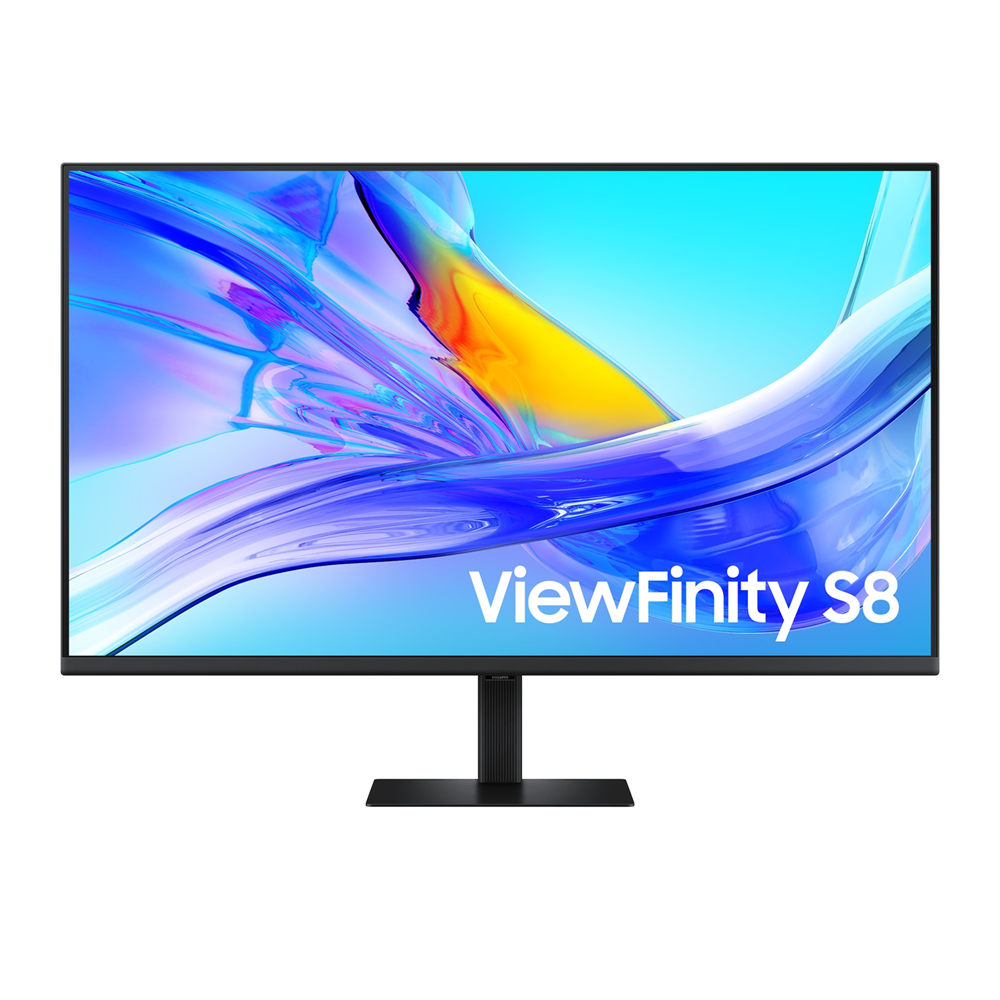
SAMSUNG 37″ ViewFinity S8 D800 4K 60Hz 5ms VA HDR USB-C 90W KVM LAN Adjustable Monitor

Product Code: LS37D800UAMXUE SKU: PCK17760 Categories: , ,
Samsung
Availability:

In stock


SAMSUNG

Panel Type – VA
Response Time – 5ms
Refresh Rate – Max 60Hz
USB-C (Charging & Display) 90W
Resolution 4K UHD (3,840 x 2,160)
Picture-In-Picture / Picture-By-Picture
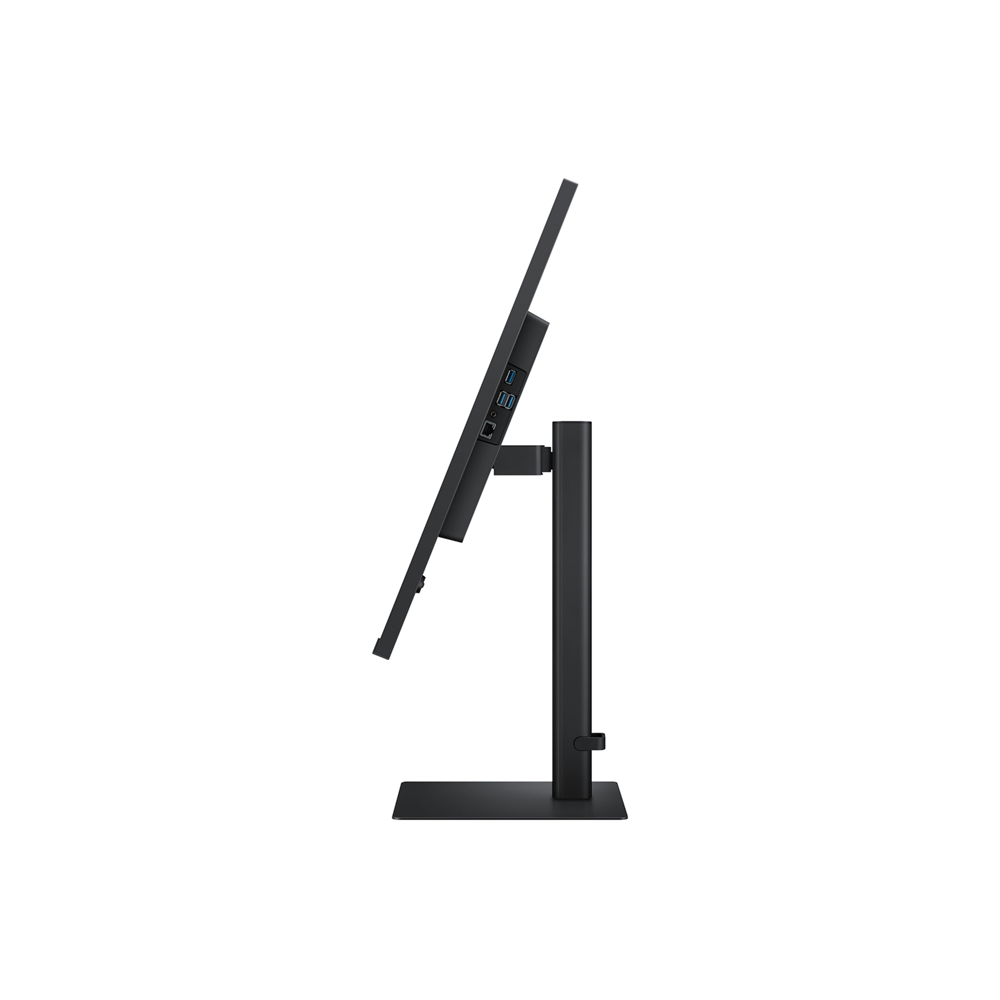
HAS (Height Adjustable Stand), Tilt, Swivel
KVM Switch / Ethernet (LAN) / HDR10 / sRGB

KD 139.900 KD 159.900

In stock

Buy Now

SAMSUNG

Highlights

UHD

3840×2160 resolution delivers crystal-clear visuals

USB-C

USB-C makes it easy to transfer and charge

Easy Setup Stand

Quick and easy setup

Ergonomic Design

Designed with comfort in mind

Features

Expand your creative realm

A man sits at a desk in front of a server rack. He is using two monitors. The left monitor is horizontal, showing a world map. The right monitor is vertical, showing numerous graphs and charts. Above the monitor reads "Expand your creative realm."

Top 4 features

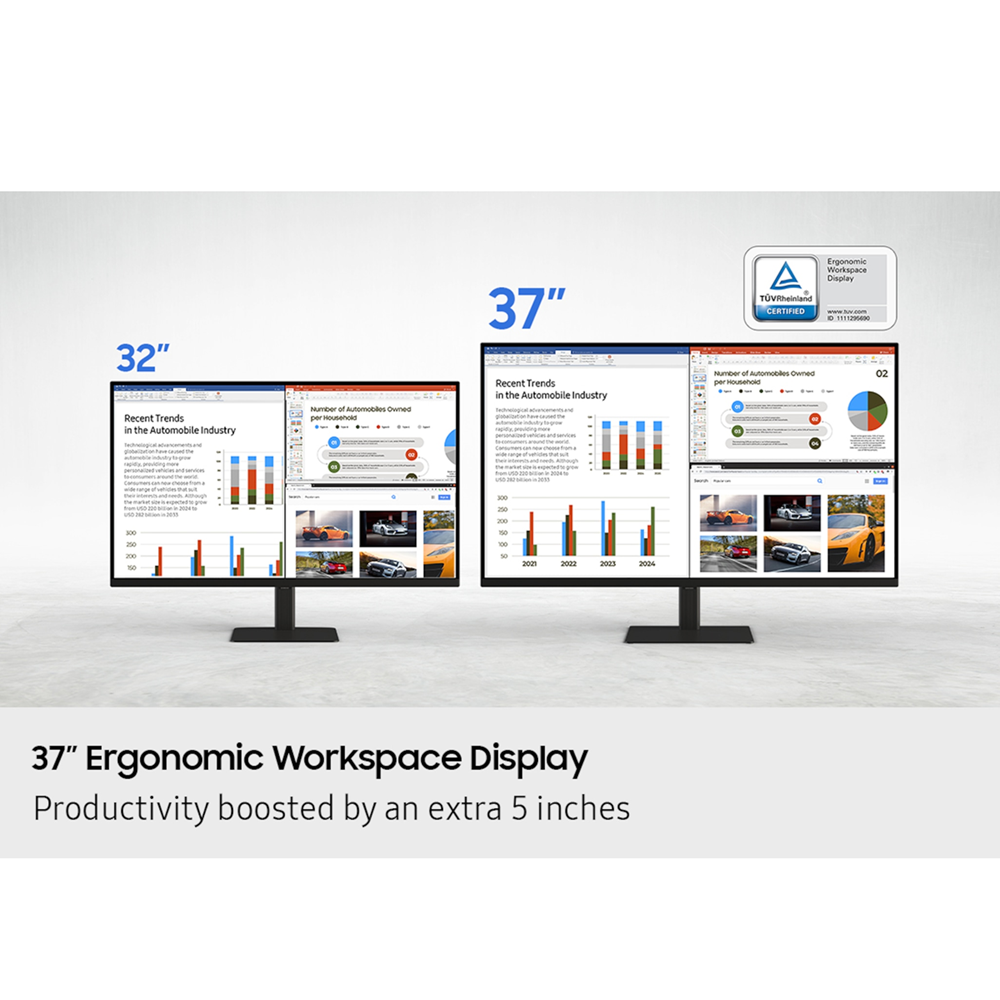
37” Ergonomic Workspace Display

Productivity boosted by an extra 5 inches

UHD Resolution

3840×2160 resolution delivers crystal-clear visuals

USB-C

USB-C makes it easy to transfer and charge

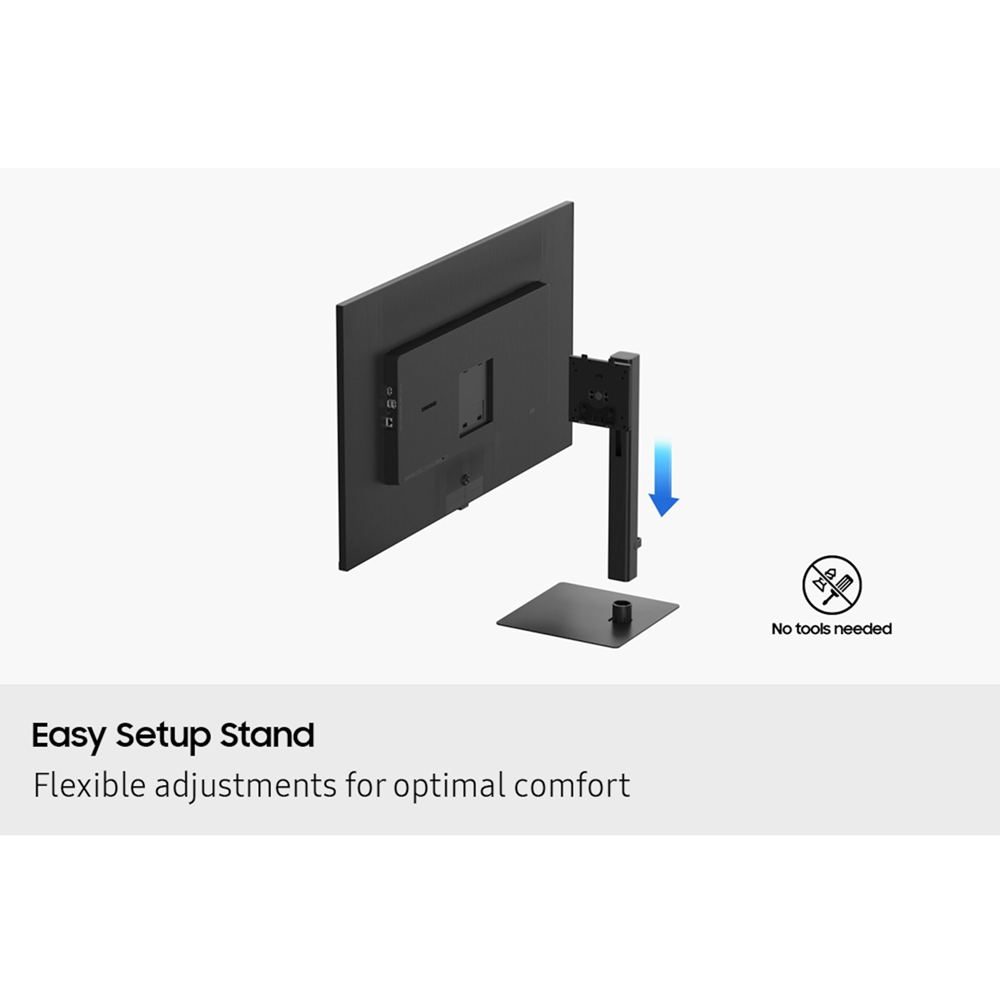
Easy Setup Stand

Flexible adjustments for optimal comfort

Productivity boosted by an extra 5 inches

37″ Ergonomic Workspace Display

Revolutionize your workspace with the world’s first 37” UHD monitor. The additional 5 inches compared to a 32” display provide a 100% UHD experience without the need to scale down for better readability. With the expanded workspace, you can tackle complex tasks with ease and boost your productivity. Plus, the 37” screen is TUV-certified for eye comfort and designed to reduce visual fatigue — helping you stay focused during long work sessions.


* Screen images simulated for illustrative purposes.

Discover the deeper details

UHD resolution

Visual excellence that professionals demand. UHD (3840×2160) resolution reveals greater levels of detail with higher pixel density. Professionals can dive into greater color detail and more screen space to build intricate designs, complex diagrams and dynamic video content with a smoother workflow.

The monitor is shown with a photo editing software on it, editing an image of colorful balls and blocks. A square inside outlines part of the image, with the text "FHD" on it, showing that FHD would only show part of the screen. The text "QHD" shows that QHD would only show part of the screen. And, the text "UHD" is in the bottom right of the monitor, showing the full size is UHD.

* Images simulated for illustrative purposes.

Enhanced realism through more color

1.07 billion colors with HDR10

See a wider gamut of colors for stunning accuracy and detail. HDR10 provide near limitless hues and true-to-life color representation, with darker darks and the brighter brights. Every piece of content becomes a joy to look at and can be experienced exactly as intended.

* Images simulated for illustrative purposes.

A screen lays on top of another screen, with a colorful abstract image seen across both screens. The smaller screen reads "SDR" and the larger screen reads "HDR10". The colors on the HDR10 screen are brighter.

Connect and adjust to meet your needs

USB-C and LAN Port

Connect it all to elevate your workspace. A USB-C port allows for 90W charging and data transfer at the same time, while a built-in LAN port offers seamless Ethernet connectivity for laptops.

A laptop, monitor, keyboard, mouse and mobile phone are all connected on a desk by a wire. Above the monitor, there are 4 icons, which are USB-C, LAN, Display Port, USB-A and USB-B.

Master multiple sources in harmony

Built-in KVM Switch

A built-in KVM switch lets you connect and control two sources to your monitor at once, with just one keyboard and mouse. You choose: split screen, Picture in Picture or Picture by Picture are all possible. Be more efficient and remove multi-device hassle with easy input switching and multitasking.

1) A monitor is seen, with a keyboard and mouse in front of it,  a PC to its left and a laptop to its right. When KVM switch turns on, the PC is connected by a line reading "Source A", and the left of the monitor screen is activated. When KVM switch turns on once again, the laptop by a line that says "Source B", and the right side of the monitor screen is activated. 

2) For PBP, the monitor screen is divided in half, and the left screen is affected by Source A and the right screen is affected by Source B. 
3)For PIP, the right screen becomes smaller to represent sub screen, by affecting by Source B. And the rest of the screen becomes the main one, while is still affected by Source A.

Effortless and instant setup

Easy Setup Stand

The Easy Setup Stand effortlessly creates an ideal workspace without any tools or screws. When it’s time to change things up, simply push a button and enjoy flexible convenience.

View with enhanced versatility

Ergonomic Design

Enjoy ideal ergonomics in any environment. A heigh-adjustable screen tilts and swivels to give you the best angle, ultimate utility, and custom comfort.

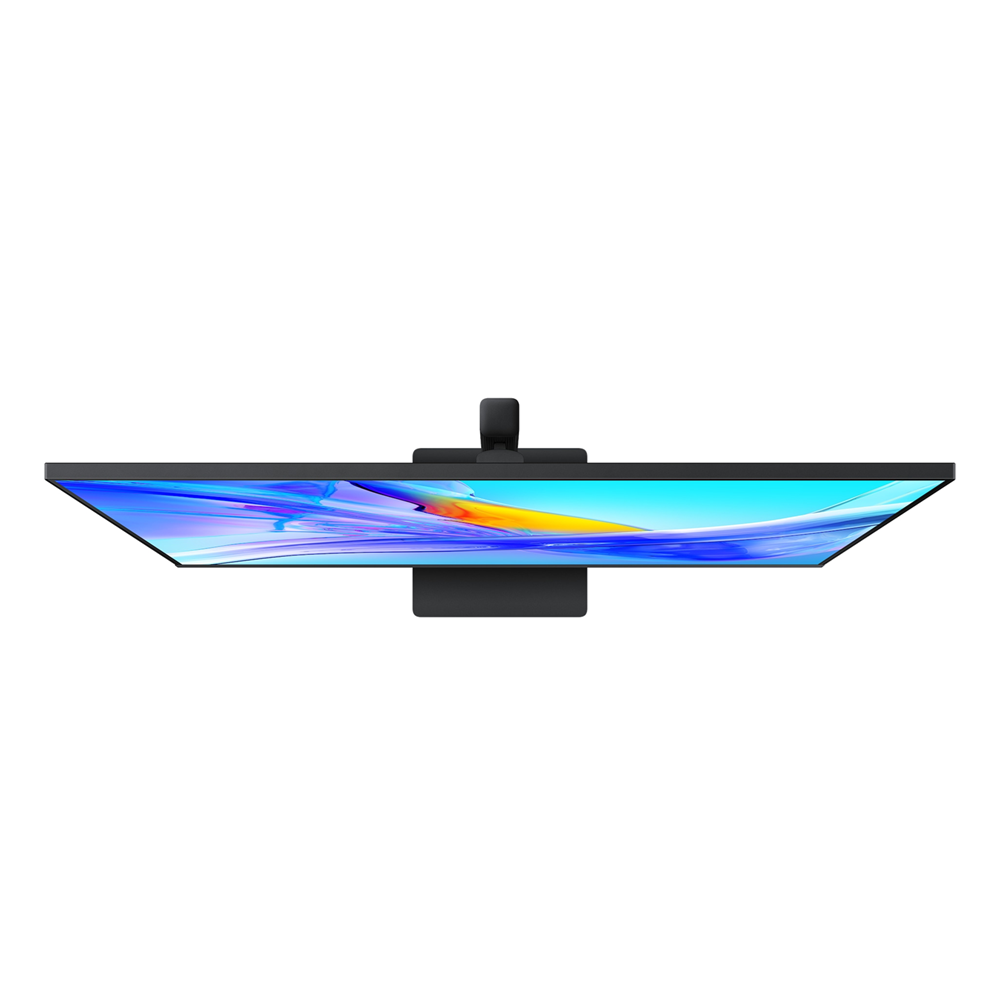
In the top left of a grid, the monitor is shown from the side, with the text "TILT" next to it. The monitor head is shown tilting. The top right of the grid shows the monitor from the top down with the word "Swivel" next to it. The monitor is shown swiveling. The bottom left of the grid shows the front of the monitor on its stand, reading "Height Adjustable Stand."

Relieve your eyes from strain

TUV certified Intelligent Eye Care

Keep your eyes fresh with less screen strain. For those late-night projects, brightness and color temperature automatically optimize for your environment. TUV-certified for intelligent eye care, Samsung reduces screen flickering and protects eyes against excessive blue light with eye saver mode.

2) A monitor screen is divided, and the Eye Saver Mode is off on the left screen with some flickering screen. And on the right side screen, the mode is on and it has less screen flickering. TUV Rheinland logo with Intelligent Eye Care certified is included on the right bottom of the monitor. The logo shows the site address, www.tuv.com
SKU: PCK17760 Categories: , ,
Brand Name

Samsung

Curvature type

Flat

Display Type

VA

Features

Eye Saver, Height adjustment, KVM, Network, PBP, PIP, Speakers, sRGB, Swivel, Tilt, Wall-Mount

HDR

HDR10

Monitor Type

Office

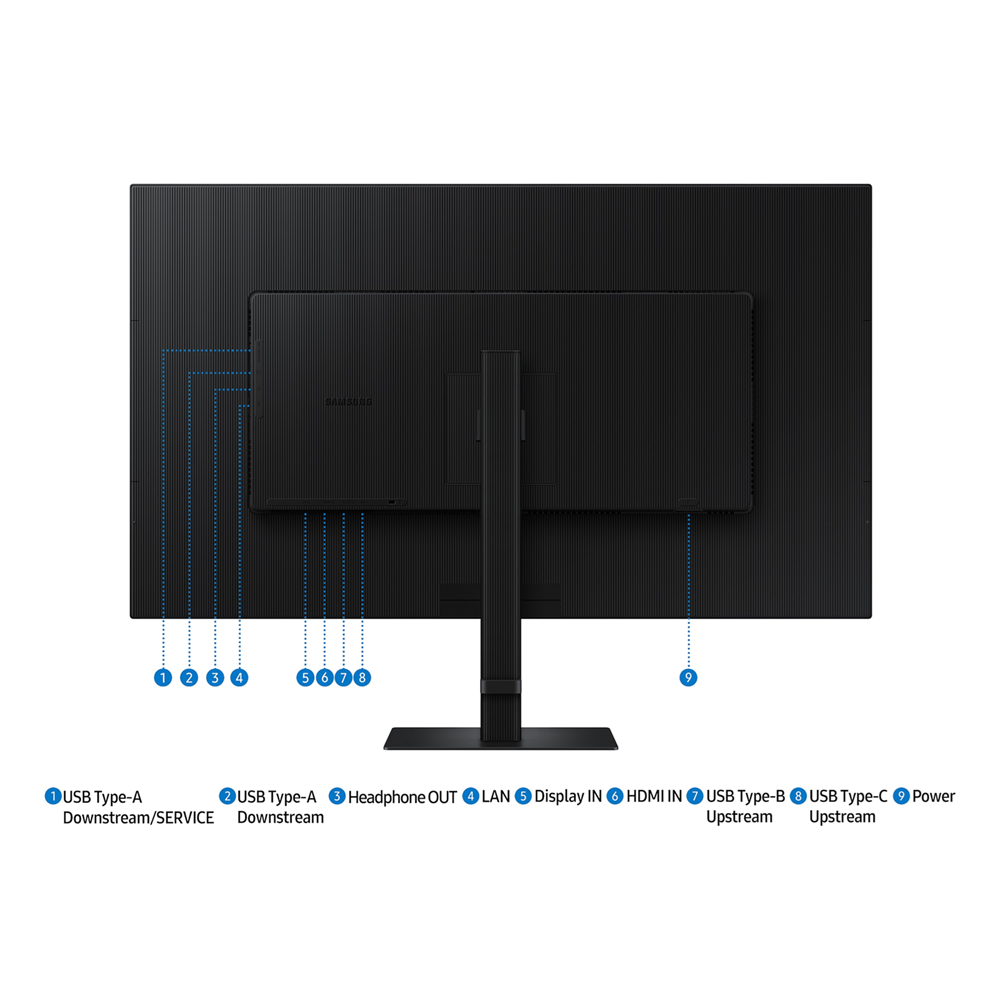
Ports

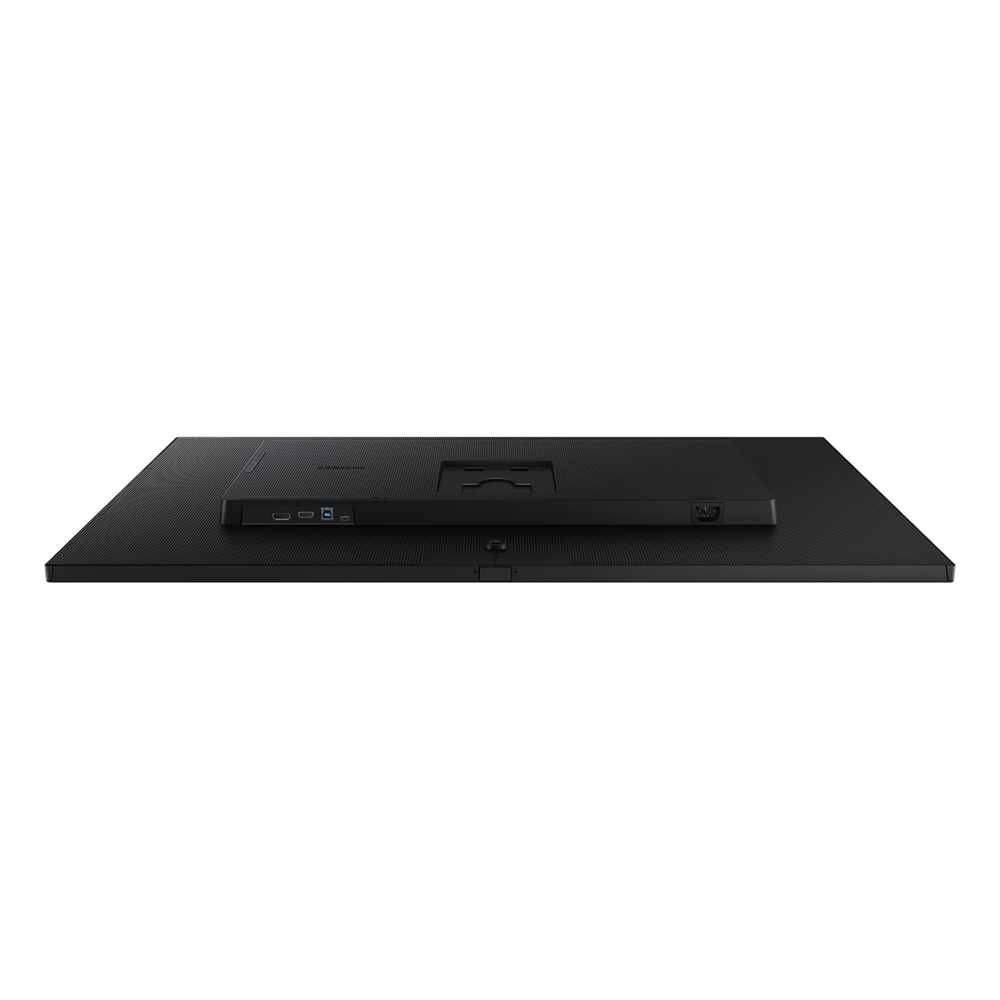
DisplayPort 1.2, HDMI 2.0, Network Port, USB 3.0, USB Type-C (Charge & Display), USB-C

Refresh Rate

60hz

Resolution

4K UHD

Response Time

5ms

Screen Size

37 Inches

Width Type

Wide

Adaptive Sync

FreeSync

  • Aspect Ratio

    16:9

  • Brightness (Typical, cd/m2)

    350 cd/㎡

  • Contrast Ratio Static

    3000:1(Typ)

  • Resolution

    4K (3,840 x 2,160)

  • Response Time

    5ms

  • Viewing Angle (H/V)

    178˚/178˚

  • Refresh Rate

    Max 60Hz

  • Screen Size (Class)

    37

  • Flat / Curved

    Flat

  • Active Display Size (HxV) (mm)

    808.0128 (H) x 454.5072 (V)

  • Aspect Ratio

    16:9

  • Panel Type

    VA

  • Brightness (Typical, cd/m2)

    350 cd/㎡

  • Brightness (Min, cd/m2)

    280 cd/㎡

  • Contrast Ratio Static

    3000:1(Typ)

  • Contrast Ratio (Dynamic)

    Mega ∞ DCR

  • HDR (High Dynamic Range)

    HDR10

  • Resolution

    4K (3,840 x 2,160)

  • Response Time

    5ms

  • Viewing Angle (H/V)

    178˚/178˚

  • Color Support

    Max 1.07B

  • sRGB Coverage

    100% (Typ)

  • Refresh Rate

    Max 60Hz

  • Energy Saving Solution

    Yes

  • Eye Saver Mode

    Yes

  • Flicker Free

    Yes

  • Picture-In-Picture

    Yes

  • Picture-By-Picture

    Yes

  • Image Size

    Yes

  • Windows Certification

    Windows11

  • FreeSync

    No

  • G-Sync

    No

  • Off Timer Plus

    Yes

  • Auto Source Switch

    Auto Source Switch+

  • Adaptive Picture

    Yes

  • KVM Switch

    Yes

  • Smart Type

    No

  • Display Port

    1 EA

  • Display Port Version

    1.2

  • HDCP Version (DP)

    2.2

  • HDMI

    1 EA

  • HDMI Version

    2.0

  • HDCP Version (HDMI)

    2.2

  • Headphone

    Yes

  • USB Hub

    3

  • USB Hub Version

    3.0x3ea

  • USB-C

    1 EA

  • USB-C Charging Power

    90W

  • USB-B Upstream Port

    1

  • Ethernet (LAN)

    1 EA

  • Speaker

    No

  • Temperature

    10~40 ℃

  • Humidity

    10~80, non-condensing

  • Factory Tunning

    Yes

  • Front Colour

    BLACK

  • Rear Color

    BLACK

  • Stand Color

    Black

  • Stand Type

    HAS

  • HAS (Height Adjustable Stand, mm)

    120mm(±5.0mm)

  • Tilt

    -5.0˚(±2.0˚)~20.0˚(±2.0˚)

  • Swivel

    -30.0˚(±3.0˚)~30.0˚(±3.0˚)

  • Wall Mount

    100 x 100

  • Recycled Plastic

    Over 85 %

  • Power Supply

    AC 100~240V

  • Power Consumption (Max)

    190 W

  • Type

    Internal Power

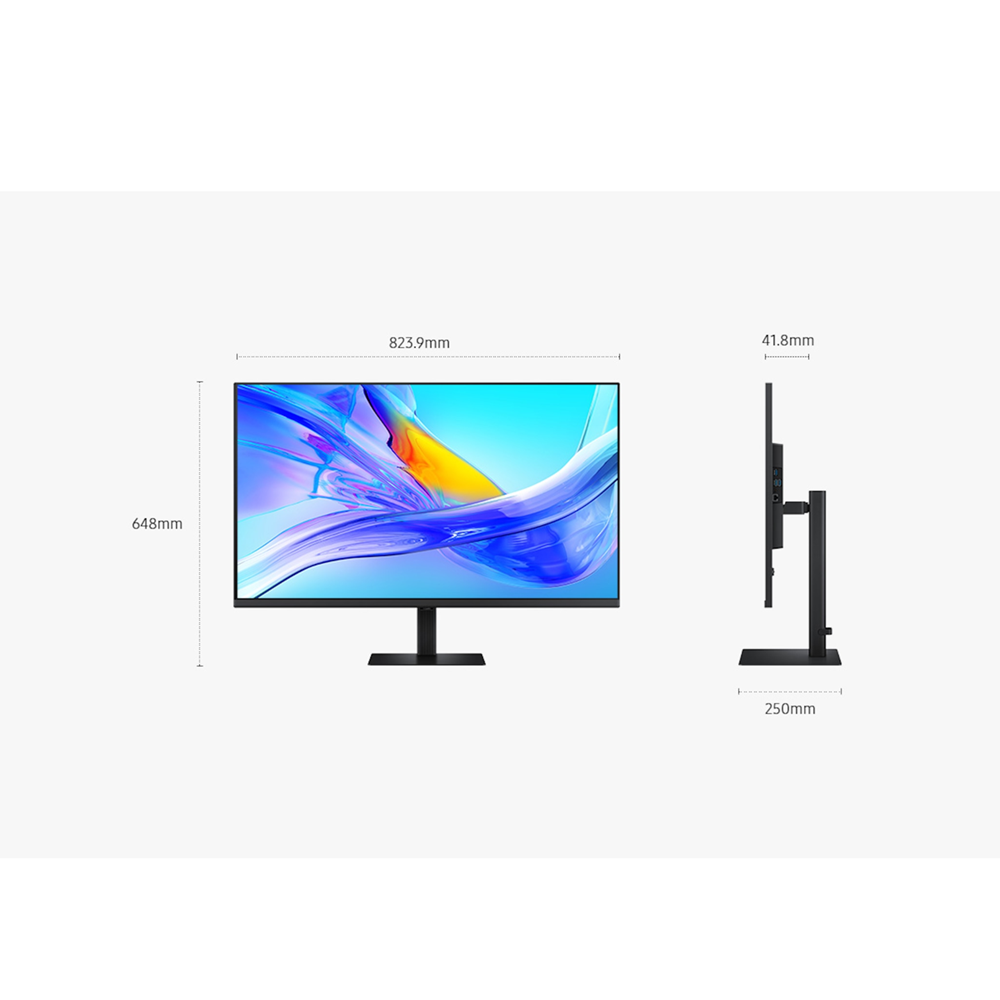
  • Set Dimension with Stand (WxHxD, mm)

    823.9 x 648.0 x 250.0 mm

  • Set Dimension without Stand (WxHxD, mm)

    823.9 x 486.5 x 41.8 mm

  • Package Dimension (WxHxD, mm)

    921 x 181 x 604 mm

  • Set Weight with Stand (kg)

    8.9 kg

  • Set Weight without Stand (kg)

    5.9 kg

  • Package Weight

    12.3 kg

  • Power Cable Length

    1.5 m

  • HDMI Cable

    Yes

  • USB Type-C Cable

    Yes